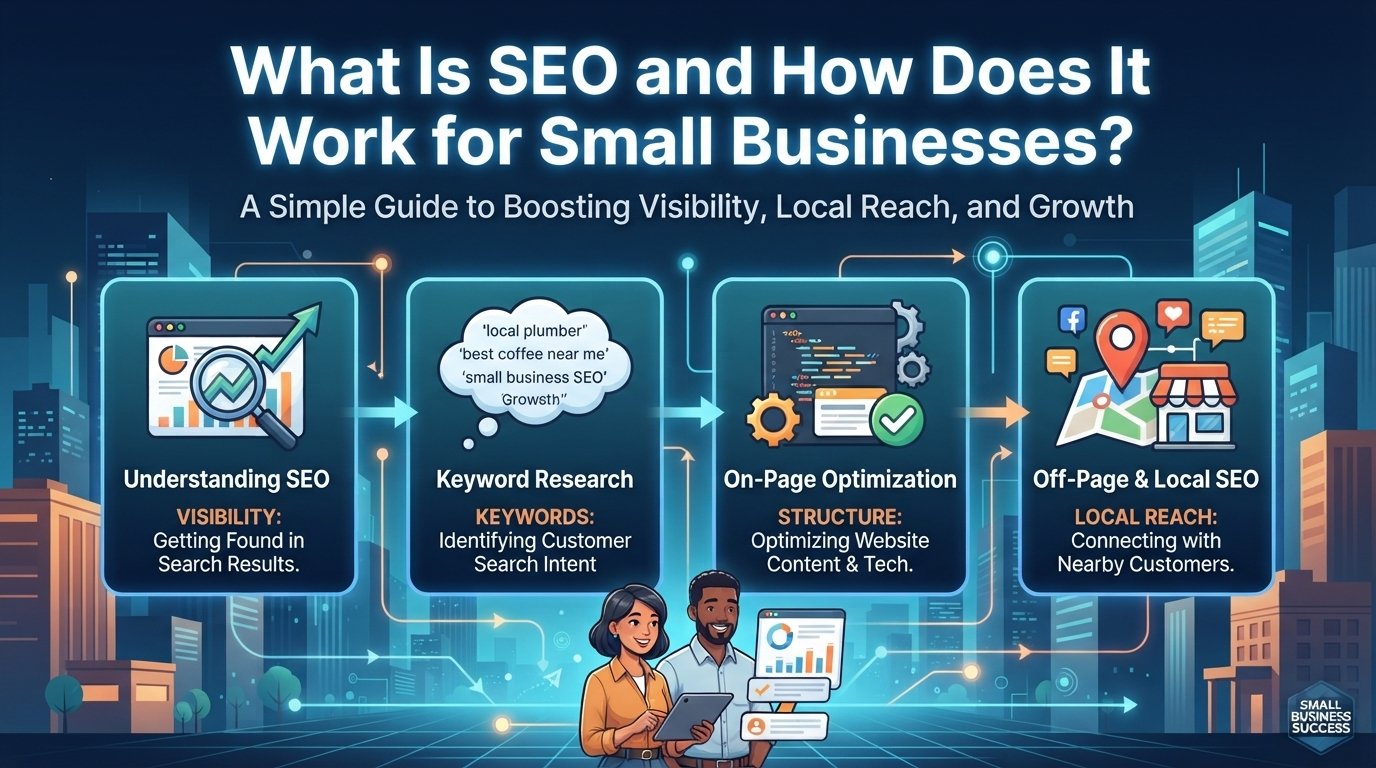
SEO for small business is the process of optimizing your website and online presence so it ranks higher in search results, helping local customers find you when they search for your products or services. Unlike paid advertising, SEO builds long-term, organic visibility that keeps working even after you stop actively investing in it.
In this guide, you’ll learn how SEO works, why it matters, and exactly how to get started, step by step.
What Is SEO and How Does It Work?
Search engine optimization (SEO) is the practice of improving your website’s quality and relevance so search engines like Google can understand, index, and rank your pages for specific search queries. When someone searches for terms related to your business, like “plumber near me” or “best coffee shop downtown,” SEO helps your website appear prominently in those results.
So, how does SEO work? Search engines use automated programs called crawlers to scan web pages, analyze their content, and store them in an index. When a user searches, Google’s algorithm evaluates hundreds of ranking factors, including relevance, authority, user experience, and location, to decide which pages best match the query.
For small businesses, SEO works across two main areas:
- Organic search results: The traditional blue links that appear below ads
- Local pack and Google Maps: The map-based results showing nearby businesses with reviews and contact information
SEO Basics for Small Business
Understanding the SEO basics for small businesses starts with three core pillars.
1. Technical SEO
Your website must be crawlable, fast, and mobile-friendly. Common technical issues that hurt small business SEO include slow page speed, broken links, duplicate content, and poor mobile optimization.
2. On-Page SEO
This involves optimizing individual pages with relevant keywords, clear headings, quality content, and proper meta tags. Each page should target a specific search intent and provide real value to visitors.
3. Off-Page SEO
Off-page signals include backlinks from other websites, online reviews, business citations, and social mentions. These factors help search engines judge your business’s authority and trustworthiness.
Why Is SEO Important for Small Business?
Here is why SEO deserves a place in your marketing plan:
- Cost-effective lead generation: Many studies suggest local SEO delivers a much higher return than most paid channels, since you are not paying for every click.
- Sustainable growth: Unlike paid ads that stop working when you stop paying, SEO builds lasting visibility that compounds over time.
- Local competitive advantage: The vast majority of customers search online before choosing a local business, so appearing in local results can make or break a small business.
- Trust and credibility: Ranking organically signals to customers that your business is legitimate and established.
Many small businesses that invest in SEO for a year or more report it as one of their best growth channels.
What Is Local SEO?
Local SEO is the part of SEO that helps your business appear when people search for services in their area. It focuses on ranking in Google Maps and the local pack, and it depends on three factors: relevance (how well you match the search), distance (how close you are to the searcher), and prominence (your reviews, citations, and backlinks).
If your customers come from a specific city or neighborhood, local SEO should be your starting point.
How to Do SEO for a Small Business: A Step-by-Step Guide
If you’re wondering where to begin, follow this practical framework.
Step 1: Claim and Optimize Your Google Business Profile
Your Google Business Profile (GBP) is the foundation of local SEO. Complete every field accurately:
- Business name, address, and phone number (NAP)
- Business hours, including holiday hours
- High-quality photos of your location, team, and work
- Business description (up to 750 characters)
- Products and services offered
Google Business Profile optimization directly affects your visibility in Google Maps and the local pack. Businesses with complete profiles tend to get more calls, direction requests, and website clicks than those with missing information.
Step 2: Conduct Keyword Research
Identify what your customers are actually searching for using tools like Semrush, Ahrefs, or Google Keyword Planner. Focus on:
- Service + location keywords: “electrician Austin TX” or “dentist near me”
- Long-tail keywords: More specific phrases with lower competition, like “emergency plumber open Saturday”
- Search intent: Whether searchers want information, are comparing options, or are ready to buy
Step 3: Create Location-Specific Content
Develop dedicated pages for each service area you cover. Each location page should include:
- Unique content (not just swapping city names)
- Local testimonials and case studies
- An embedded Google Map
- NAP information that matches your GBP
Step 4: Build Local Citations and Backlinks
Citations are mentions of your business name, address, and phone number across online directories. Make sure your NAP is consistent across:
- Google Business Profile
- Yelp, Yellow Pages, and industry-specific directories
- Local chamber of commerce websites
- Community organization pages
Quality local backlinks from respected neighborhood organizations, local news outlets, and business associations can significantly boost your local rankings.
Step 5: Collect and Manage Reviews
Reviews are critical for local SEO. Google considers review quantity, recency, quality, and diversity when ranking local businesses.
Best practices for reviews:
- Ask satisfied customers for a review within 24 to 48 hours of service
- Respond to all reviews, positive and negative, within 24 to 48 hours
- Send review requests by text message, as many customers prefer it over email
- Aim for a review count equal to or higher than your top local competitors
How to Rank on Google Maps
To improve your Google Business Profile optimization and rank higher on Google Maps, follow these steps:
- Complete every GBP field: Businesses with complete profiles rank better.
- Upload photos regularly: Add 2 to 4 new photos each month to show your profile is active.
- Post weekly updates: Use Google Posts to share offers, events, and news.
- Use Q&A: Add 15 to 20 common questions and answers to your GBP Q&A section.
- Maintain review velocity: Aim for steady, ongoing reviews rather than sudden bursts.
Most businesses see Google Maps improvements within 2 to 4 weeks of optimization, with more meaningful ranking gains in 2 to 3 months.
SEO Tips for Small Business Owners
Here are actionable SEO tips you can start using right away.
SEO for Small Business on a Budget
- Start with free tools: Google Search Console, Google Analytics, and Google Business Profile are all free and essential.
- Focus on low-competition keywords first: Long-tail, location-specific terms rank faster and convert better.
- Create your own content: Write blog posts that answer common customer questions in your area.
- Use community partnerships: Sponsor local events or collaborate with complementary businesses to earn natural backlinks.
DIY SEO for Small Business
Doing SEO yourself is realistic if you have:
- Low local competition
- 5 to 10 hours per week to dedicate consistently
- A simple website (under 50 pages)
Start with this checklist:
- Verify and optimize your Google Business Profile.
- Fix critical technical issues (site speed, mobile optimization, broken links).
- Create 5 to 10 high-quality service pages targeting local keywords.
- Set up Google Search Console and track impressions weekly.
Common SEO Mistakes to Avoid
- Inconsistent NAP: Using different business names, addresses, or phone numbers across directories confuses search engines and hurts rankings.
- Keyword stuffing: Overusing keywords in content or meta tags can trigger spam filters.
- Quitting too early: Many businesses give up around month 3, right before SEO starts to pay off.
- Ignoring mobile: A large share of local searches happen on mobile devices, so your site must work well on phones.
Final Thoughts
SEO can feel overwhelming for small business beginners, but you don’t need to do everything at once. Start with your Google Business Profile, fix critical technical issues, and create a handful of high-quality pages targeting your best keywords.
For small business owners ready to invest in SEO, commit to at least 6 to 9 months of consistent effort. The businesses that succeed aren’t the ones with the biggest budgets. They are the ones who understand the compounding nature of SEO and stick with it.
Whether you do SEO yourself or hire help, the fundamentals stay the same: optimize for relevance, build local authority, and provide real value to your customers. Do that consistently, and SEO can become one of your most cost-effective and sustainable growth channels.
Need help with SEO for your business? Contact us today for a free consultation.
Frequently Asked Questions (FAQ)
What is SEO for small business?
SEO for small business is the practice of optimizing your website and online presence to rank higher in search results, helping local customers find you when they search for your products or services. It includes technical optimization, content creation, local citations, and review management.
How does SEO work for small businesses?
SEO works by improving your website’s relevance, authority, and user experience so search engines can understand and rank your pages. For small businesses, this means optimizing your Google Business Profile, creating location-specific content, building local backlinks, and collecting customer reviews.
Is SEO worth it for small businesses?
Yes, SEO is worth it for small businesses. It offers long-term, compounding visibility at a lower cost than most paid advertising. However, success requires consistent effort over at least 6 to 9 months.
How long does SEO take for a small business?
Timelines vary, but most businesses see:
- Google Maps improvements: 2 to 4 weeks
- First ranking movement: 2 to 3 months
- Measurable traffic: 4 to 6 months
- Break-even: 6 to 9 months
Can I do SEO for my small business myself?
Yes, DIY SEO is realistic for a small business if you can spend 5 to 10 hours per week and face low to moderate local competition. Start with your Google Business Profile, fix technical issues, and create location-specific content.
What is local SEO for small business?
Local SEO for small businesses focuses on ranking in Google Maps and local search results. It depends on three factors: relevance (how well you match searches), distance (your proximity to the searcher), and prominence (reviews, citations, and backlinks).